Recent Searches
Category

Microsoft Power BI

Category

Microsoft Excel

Category

Microsoft Copilot Courses

Category

SharePoint

Category

Professional Development

Category

Microsoft Project

Category

Power Automate

Category

Power Apps

Category

AI for Business

Category

SQL

Category

Microsoft 365

Category

Microsoft Word

Category

Python

Category

Microsoft Teams

Category

Excel Specialist

Category

Microsoft PowerPoint

Category

Microsoft Outlook

Category

R Programming

Category

Microsoft Access

Category

Microsoft Visio

Category

HTML Courses

Category

WordPress

Category

Microsoft Windows 11 Courses

Category

Adobe InDesign Courses

Category

Adobe Premiere Pro Training

Category

Adobe After Effects Training

Category

Adobe Photoshop Courses

Category

Adobe Illustrator Courses

Category

Canva Courses

Category

Articulate

Category

Adobe Acrobat Courses

Category

Adobe Animate Training

Category

Adobe Captivate Training

Course

Power BI Beginner

Course

Excel Beginner

Course

Copilot for M365

Course

SharePoint Beginner

Course

Achieving Leadership & Success

Course

Project Beginner

Course

Power Apps Beginner

Course

SQL Beginner

Course

Word Intermediate

Course

Word Beginner

Course

Word Advanced

Course

Python Beginner

Course

Teams Essentials

Course

Financial Modelling

Course

PowerPoint Level 1

Course

Microsoft Outlook Beginner to Intermediate

Course

R Programming Beginner

Course

Microsoft Access Essentials

Course

Visio Essentials

Course

HTML Training Intro

Course

Windows 11 End User Course

Course

InDesign Lite

Course

Premiere Training Intro

Course

After Effects Training Intro

Course

Photoshop Lite

Course

Illustrator Training Intro

Course

Articulate Storyline 360 Essentials

Course

Acrobat Essentials

Course

Animate Training Intro

Course

Captivate Training

Course

Power BI Intermediate

Course

Excel Intermediate

Course

Copilot for Word

Course

SharePoint Intermediate

Course

Anger Management & Negotiation Skills

Course

Project Intermediate

Course

Power Apps Intermediate

Course

ChatGPT Beginner

Course

SQL Intermediate

Course

Python Intermediate

Course

Analysis and Dashboards

Course

PowerPoint Level 2

Course

R Programming Intermediate

Course

InDesign Training Intro

Course

Photoshop Training Intro

Course

Articulate Storyline 3 & 360 Advanced

Course

Acrobat Forms

Course

Power BI Advanced

Course

Excel Advanced

Course

Copilot for Excel

Course

SharePoint Advanced (Site Owner)

Course

Assertiveness & Confidence

Course

Project Advanced

Course

Power Apps Intermediate | Power Automate + Power BI Integration

Course

AI Prompting Fundamentals

Course

Python Advanced

Course

Excel VBA

Course

R Programming Advanced

Course

Microsoft Access Advanced

Course

InDesign Training Advanced

Course

Canva Beginners

Course

Power BI DAX

Course

Excel Expert

Course

Copilot for PowerPoint

Course

SharePoint Advanced (Document Governance)

Course

Building Resilience

Course

Power Apps Advanced

Course

Machine Learning in R

Course

Canva Intermediate

Course

Copilot for Outlook and Teams

Course

Coaching and Mentoring

Course

Canva Advanced

Course

Communications

Course

WordPress Essentials

Course

Premiere Basics Training

Course

Advanced After Effects Training

Course

Illustrator Training Advanced

Course

Canva AI

Course

Microsoft Copilot Studio Building AI Agents

Course

Communications & Quality Client Service Training

Course

AI for Business Leaders and Managers

Course

Advanced Premiere Training

Course

Photoshop Training Advanced

Course

Power BI Copilot Training

Course

Critical Thinking and Problem Solving

Course

AI Governance Training

Course

InDesign Interactivity Training

Course

Copilot for Customer Service

Course

Cultural Diversity in the Workplace

Course

InDesign Accessibility Training

Course

Copilot for Executives and Managers

Course

Embracing Change

Course

Microsoft Outlook Advanced

Course

Copilot for Finance

Course

Growing Emotional Intelligence

Course

SQL Advanced

Course

Copilot for HR

Course

Minute Taking

Course

Planner Premium

Course

Excel Tables and Pivot Tables

Course

Copilot for Legal Services

Course

Power Automate Beginner

Course

Microsoft 365 Essentials

Course

Data Transformation with Power Query

Course

Excel Macro Mastery

Course

Copilot for Marketing

Course

Persuasion and Negotiation Skills

Course

Power Automate Intermediate

Course

Power BI Desktop Advanced Reporting

Course

Copilot for Operations

Course

Presentation Skills and Public Speaking

Course

Data Visualisation with Power BI Desktop

Course

Copilot for Sales

Course

Practical Project Management

Course

Respect, Equity and Diversity (RED)

Course

Resumé Writing and Interview Skills

Course

Stress Management

Course

Team Leadership, Management and Development

Course

Time Management Intensive

Course

Train the Trainer

Course

Write Effective Business Documents

Course

Dealing with Difficult People

Course

Managing Difficult Conversations

Course

Managing the Virtual Workplace

Course

Customer Service Training

Course

Technical Writing

Take your project management skills to the next level with Microsoft Planner Premium. This hands-on workshop is designed for experienced users of Microsoft 365 and project tools who are ready to dive deeper into structured, scalable planning. Whether you manage teams using Agile, Waterfall or hybrid methodologies, this course will show you how to leverage advanced Planner Premium features for greater control, visibility, and impact.

You’ll work through real-world scenarios using dependencies, baselines, sprint planning, and multiple views to plan and track effectively. By the end of the day, you’ll know how to confidently build, manage and optimise sophisticated project plans across your organisation.

By the end of this course, you’ll be able to:

  • Build and configure complex project plans using Premium templates
  • Use goals, buckets, labels, and custom fields to structure workflows
  • Apply Agile and Waterfall practices in real-world scenarios
  • Utilise dependencies, checklists, and effort tracking
  • Switch between Planner views for better insights and control
  • Track status with filters, conditional formatting, and rollups
  • Analyse baselines and critical paths to improve delivery predictability

Prerequisite:

Ideal for project managers, team leads, and Microsoft 365 users familiar with Agile, Waterfall, or hybrid frameworks looking to improve their planning skills.

Course Details

Download Course PDF
Price
$459
Duration
1 day
Times
9am-4pm
Class Size (max)
8
Class Size (avg)
6
Reference Materials
Provided
CPD Hours
6 hours
Delivery
Instructor-led training
Live Online

Course Details

Download Course PDF
Price
$459
Duration
1 day
Time
9am-4pm
Class Size (max)
8
Class Size (avg)
6
Reference Materials
Provided
Training Computer
Provided
CPD Hours
6 hours
Delivery
Instructor-led training
Address
Level 8
201 Charlotte Street
Brisbane QLD 4000

Course Details

Download Course PDF
Price
$459
Duration
1 day
Time
9am-4pm
Class Size (max)
8
Class Size (avg)
6
Reference Materials
Provided
Training Computer
Provided
CPD Hours
6 hours
Delivery
Instructor-led training
Address
Level 24/477 Pitt Street
Sydney
New South Wales 2000

Course Details

Download Course PDF
Price
$459
Duration
1 day
Time
9am-4pm
Class Size (max)
8
Class Size (avg)
6
Reference Materials
Provided
Training Computer
Provided
CPD Hours
6 hours
Delivery
Instructor-led training
Address
Level 12A
45 William Street Melbourne VIC 3000

Course Details

Download Course PDF
Price
$459
Duration
1 day
Time
9am-4pm
Class Size (max)
8
Class Size (avg)
6
Reference Materials
Provided
Training Computer
Provided
CPD Hours
6 hours
Delivery
Instructor-led training
Address
NEW LOCATION
Level 2
221 London Circuit
Canberra ACT 2600

Course Details

Download Course PDF
Price
$459
Duration
1 day
Time
9am-4pm
Class Size (max)
8
Class Size (avg)
6
Reference Materials
Provided
Training Computer
Provided
CPD Hours
6 hours
Delivery
Instructor-led training
Address
Level 15
33 King William Street
Adelaide 5000

Course Details

Download Course PDF
Price
$459
Duration
1 day
Time
9am-4pm
Class Size (max)
8
Class Size (avg)
6
Reference Materials
Provided
Training Computer
Provided
CPD Hours
6 hours
Delivery
Instructor-led training
Address
Level 7
553 Hay Street
Perth WA 6000

Course Details

Download Course PDF
Price
$459
Duration
1 day
Times
9am-4pm
Class Size (max)
8
Class Size (avg)
6
Reference Materials
Provided
CPD Hours
6 hours
Delivery
Instructor-led training
Live Online

Upcoming Courses

Remote East

Brisbane

Sydney

Melbourne

Canberra

Adelaide

Perth

Remote West

Remote East
Date
Course
City
Status
Wed 24 Jun 26
Wed
24
Jun
Planner Premium
Remote East
Status: Scheduled
Scheduled
Fri 26 Jun 26
Fri
26
Jun
Planner Premium
Remote East
Status: Sold Out
Sold Out
Mon 29 Jun 26
Mon
29
Jun
Planner Premium
Remote East
Status: Scheduled
Scheduled
Mon 14 Sep 26
Mon
14
Sep
Planner Premium
Remote East
Status: Scheduled
Scheduled
Brisbane

We currently have no public courses scheduled. Please contact us to register your interest.

Sydney
Date
Course
City
Status
Mon 14 Sep 26
Mon
14
Sep
Planner Premium
Sydney
Status: Scheduled
Scheduled
Melbourne
Date
Course
City
Status
Wed 24 Jun 26
Wed
24
Jun
Planner Premium
Melbourne
Status: Scheduled
Scheduled
Canberra
Date
Course
City
Status
Fri 26 Jun 26
Fri
26
Jun
Planner Premium
Canberra
Status: Sold Out
Sold Out
Mon 29 Jun 26
Mon
29
Jun
Planner Premium
Canberra
Status: Scheduled
Scheduled
Adelaide

We currently have no public courses scheduled. Please contact us to register your interest.

Perth

We currently have no public courses scheduled. Please contact us to register your interest.

Remote West

We currently have no public courses scheduled. Please contact us to register your interest.

Scheduled
Taking enrollments.
Confirmed
Taking enrollments.
Few Seats left
Book Now.
Sold Out
Try another date.

Project Training Courses

Course Icon Project Beginner

Learn the fundamentals of Microsoft Project. Create task lists, set milestones, assign resources, and understand scheduling concepts like the Critical Path Method.

download course pdf
Price: $470
Course Icon Project Intermediate

Build on your foundational skills by learning to assign resources, track progress, allocate costs, and work more efficiently using advanced Project views.

download course pdf
Price: $475
Course Icon Project Advanced

Automate and customise your project reporting with Macros and advanced tools. Learn to create custom graphical reports and optimise your workflows.

download course pdf
Price: $475
Project Digital Credential

Planner Premium Course Content

Expand All | Collapse All

Introduction to Planner Premium

Understand the benefits of Planner Premium over standard Planner

Explore advanced features and user interface enhancements

Access and customise prebuilt Premium Plan Templates

Configure Your Project

Create and link project Goals

Set up Waterfall-aligned Buckets for structured task flow

Create Labels to track departmental ownership or other dimensions

Build Custom Fields including text, choice, date, number, and yes/no types

Apply Agile Methodology

Set up Sprints and understand the Sprint Board

Configure Backlog, Sprint Ready, Blocked, and Done flows

Explore the hybrid use of Agile statuses within a Waterfall framework

Create & Modify Tasks

Add high-level Parent Tasks with strategic alignment

Enter Action Tasks and define subtask structures

Apply Buckets, Labels, and Assignments

Understand and apply task Dependencies and lead/lag logic

Add Checklists, Effort Hours, and connect to Custom Fields

Use Board View for Execution

Use keyword search and filtering to isolate key tasks

Apply Group By options (e.g., Buckets, Sprint, Assigned To)

Drag and drop tasks to manage progress intuitively

Work in Grid View

Show or hide columns and re-order them for clarity

Apply and manage Labels directly in the Grid

Use Conditional Colouring for visual prioritisation

Manage the Timeline

Set task Dependencies and define project sequencing

Use Timeline (Gantt) View to visualise and modify schedules

Analyse Baselines and track project variance

Identify the Critical Path and its implications

Analyse with Other Views

Use the Charts View for progress and status visualisation

Use the People View to assess workload distribution

Navigate Assignments View for individual accountability

Wrap-Up & Next Steps

Review learning outcomes

Discuss Planner Premium limitations and alternatives

Q&A and feedback

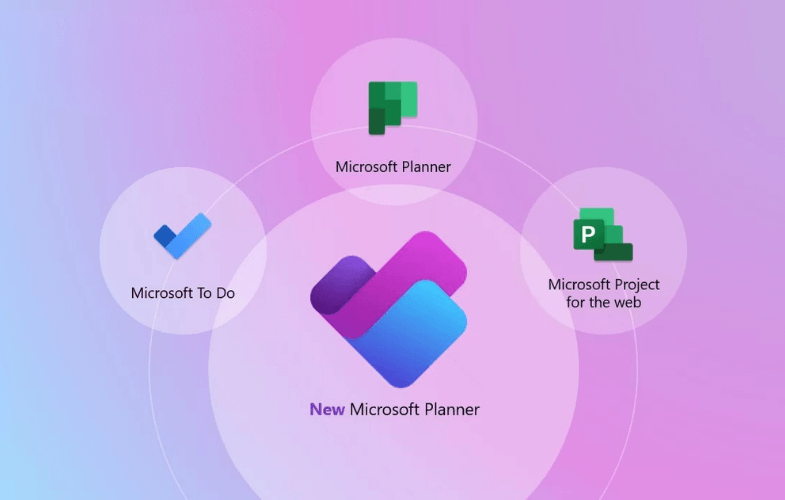
Optional integration: Power BI, Teams, Project for the Web

Frequently Asked Questions

Who should attend Microsoft Project training?

Microsoft Project training is suitable for project managers, project coordinators, schedulers, administrators, team leaders and professionals who need to plan, manage or report on projects. Nexacu’s Project courses support beginner, intermediate and advanced users, with practical exercises focused on workplace project planning, scheduling, resources, budgets and progress tracking.

Which Microsoft Project course should I choose?

Choose Project Beginner if you are new to Microsoft Project and need to learn the fundamentals of tasks, milestones, dependencies and Gantt charts. Choose Project Intermediate if you want to build skills in resources, costs, baselines, tracking and project views. Choose Project Advanced if you need more advanced skills in reporting, customisation and managing complex project schedules.

Is Microsoft Project training suitable for beginners?

Yes. Project Beginner is designed for users who are new to Microsoft Project or have limited experience. It covers core skills such as navigating the Microsoft Project interface, creating task lists, setting milestones, linking tasks, building schedules and working with Gantt charts.

What will I learn in a Microsoft Project course?

Nexacu’s Microsoft Project courses cover practical project management software skills, including project schedules, tasks, timelines, dependencies, resource allocation, budgets, baselines, progress tracking and project reporting. Course content varies by level, from beginner scheduling skills through to more advanced project tracking and reporting techniques.

What is the difference between Project Beginner and Project Intermediate?

Project Beginner focuses on the fundamentals of creating and managing a project schedule, including tasks, milestones, dependencies and Gantt charts. Project Intermediate builds on those skills with resource assignment, task and resource costs, baselines, progress tracking, workload analysis and more advanced Microsoft Project views.

What version of Microsoft Project is used in training?

Nexacu’s Microsoft Project courses are delivered using the most recent version of Microsoft Project desktop. Remote participants should ensure Microsoft Project is installed before attending, in line with Nexacu’s remote training instructions.

Can I attend Microsoft Project training online?

Yes. Microsoft Project training is available live online through Remote Online delivery, as well as in-class at selected Australian training locations. Remote students can attend via video conferencing, ask questions, participate in class discussions and share their screen with the trainer when they need help. To attend remotely, select Remote Online as your location when booking.

Where is Microsoft Project training available in Australia?

Nexacu offers Microsoft Project training in major Australian cities including Sydney, Melbourne, Brisbane, Canberra, Adelaide and Perth, as well as live online via Remote Online. Course availability may vary by date and location, so check the current schedule before booking.

Can Microsoft Project training help with project scheduling and reporting?

Yes. Microsoft Project training helps users create project schedules, assign resources, manage budgets, track progress, set baselines and generate reports for stakeholders. These skills are useful for improving project visibility, schedule control and day-to-day project management.

What is Planner Premium training?

Planner Premium training is designed for users working with Microsoft Planner Premium to manage projects, tasks, timelines and team workloads. It is suited to professionals who want to understand how Planner Premium supports project planning and tracking within the Microsoft 365 environment.

Do you offer Microsoft Project training for corporate teams?

Yes. Nexacu offers Microsoft Project corporate training for teams and organisations that need consistent project planning, scheduling, resource management, tracking and reporting skills.


Course Details

Download Course PDF
Price
$459
Duration
1 day
Times
9am-4pm
Class Size (max)
8
Class Size (avg)
6
Reference Materials
Provided
CPD Hours
6 hours
Delivery
Instructor-led training
Live Online

Course Details

Download Course PDF
Price
$459
Duration
1 day
Time
9am-4pm
Class Size (max)
8
Class Size (avg)
6
Reference Materials
Provided
Training Computer
Provided
CPD Hours
6 hours
Delivery
Instructor-led training
Address
Level 8
201 Charlotte Street
Brisbane QLD 4000

Course Details

Download Course PDF
Price
$459
Duration
1 day
Time
9am-4pm
Class Size (max)
8
Class Size (avg)
6
Reference Materials
Provided
Training Computer
Provided
CPD Hours
6 hours
Delivery
Instructor-led training
Address
Level 24/477 Pitt Street
Sydney
New South Wales 2000

Course Details

Download Course PDF
Price
$459
Duration
1 day
Time
9am-4pm
Class Size (max)
8
Class Size (avg)
6
Reference Materials
Provided
Training Computer
Provided
CPD Hours
6 hours
Delivery
Instructor-led training
Address
Level 12A
45 William Street Melbourne VIC 3000

Course Details

Download Course PDF
Price
$459
Duration
1 day
Time
9am-4pm
Class Size (max)
8
Class Size (avg)
6
Reference Materials
Provided
Training Computer
Provided
CPD Hours
6 hours
Delivery
Instructor-led training
Address
NEW LOCATION
Level 2
221 London Circuit
Canberra ACT 2600

Course Details

Download Course PDF
Price
$459
Duration
1 day
Time
9am-4pm
Class Size (max)
8
Class Size (avg)
6
Reference Materials
Provided
Training Computer
Provided
CPD Hours
6 hours
Delivery
Instructor-led training
Address
Level 15
33 King William Street
Adelaide 5000

Course Details

Download Course PDF
Price
$459
Duration
1 day
Time
9am-4pm
Class Size (max)
8
Class Size (avg)
6
Reference Materials
Provided
Training Computer
Provided
CPD Hours
6 hours
Delivery
Instructor-led training
Address
Level 7
553 Hay Street
Perth WA 6000

Course Details

Download Course PDF
Price
$459
Duration
1 day
Times
9am-4pm
Class Size (max)
8
Class Size (avg)
6
Reference Materials
Provided
CPD Hours
6 hours
Delivery
Instructor-led training
Live Online

skills test nexacu

Skills Test

Try our short skills test and find out which course is right for you.

Skills Test

Locations In-Person & Online

Find the nearest location and date that works for you

Locations In-Person & Online

Find the nearest location and date that works for you

Related Training Courses

Course Icon Project Beginner

Learn the fundamentals of Microsoft Project. Create task lists, set milestones, assign resources, and understand scheduling concepts like the Critical Path Method.

download course pdf
Price: $470
Course Icon Project Intermediate

Build on your foundational skills by learning to assign resources, track progress, allocate costs, and work more efficiently using advanced Project views.

download course pdf
Price: $475
Course Icon Project Advanced

Automate and customise your project reporting with Macros and advanced tools. Learn to create custom graphical reports and optimise your workflows.

download course pdf
Price: $475
Related Digital Credential

Locations In-Person & Online

Find the nearest location and date that works for you

Locations In-Person & Online

Find the nearest location and date that works for you

Trusted Nationwide by Leading Organisations

at Nexacu, we're proud to be the trusted training partner for hundreds of leading organisations across Australia and New Zealand. From government departments to top corporates, we help teams upskill and succeed everyday

  • 400+ companies rely on Nexacu for team training
  • Trusted by federal, state, and local government agencies
  • Delivering training across 9 countries

Why Nexacu?

step by step courseware

Step by Step Courseware

Custom workbook included with a step by step exercises

Facility Image 2
Facility Image 3
Facility Image 1

Interactive real time training

Interactive, Real-Time Training

Learn with expert instructors, wherever you are

More than 1,300 Business trust Nexacu

Trusted by Business

Procured by Government

Procured by Goverment

Reviews Not Found

Valued by Individuals